My Health at Vanderbilt
- 4.7
- Rating
- 100.00K
- Installs
- Free
- Price

 Analysis by App-foxy
Managing healthcare from a phone sounds simple until you need something at an inconvenient moment: checking a recent record, reviewing information before a visit, or finding the right detail while away from home. My Health at Vanderbilt is designed for that kind of access. Developed by Vanderbilt University Medical Center, this free medical app puts a Vanderbilt health record within reach through a mobile interface rather than leaving you dependent on a desktop browser or a paper folder.
I found its main appeal less about novelty and more about reducing small points of friction. If your care is connected to Vanderbilt, the app can become a practical place to begin when you need health information on the move. It is not a replacement for urgent medical help, and it is not equally useful to everyone, but it has a clear role for patients who want a more direct connection with their healthcare information.
How the app feels when your health information depends on a connection
The most important part of using a medical record app is often invisible: the information has to travel between your phone and the healthcare system. That makes connectivity part of the experience, even when the screen itself looks straightforward. With My Health at Vanderbilt, I would treat a stable internet connection as part of the basic workflow whenever I need to sign in, retrieve current information, or move between account areas.
You May Also Like

 Blood Strike: 2.5 Anniversary
Blood Strike’s Loadouts Turn Every Drop Into a Tactical Gamble
A close look at Blood Strike’s custom loadouts: how fast access to signature weapons reshapes its battle royale rhythm, rewards preparation, and narrows the gap between fights.

 Pandora - Music & Podcasts
Pandora’s Music Is Easy to Start, but Harder to Recover
Pandora’s strength is its low-effort path from a seed to a station. Its weak spot is how much confidence it asks you to place in connection, setup, and quiet recovery.

 8 Ball Pool
 Is Built on Rivalries, Rematches, and Routine
A close look at the rivalries, rematches, shared routines, and unanswered safety questions that turn a quick pool match into a persistent mobile community.

 Samsung Music
’s Quiet Strength Is Playing What You Already Own
Its reach comes less from spectacle than from dependable access to a personal library. That simplicity is both the app’s strongest retention engine and its ceiling.

 AccuWeather: Weather Radar
AccuWeather Review: A Quick, Clear Forecast for Everyday Decisions
For everyday plans, the best forecast is the one you can understand quickly. AccuWeather makes rain timing, radar, and local conditions easy to act on, with a few trade-offs.

 Hill Climb Racing
Why Hill Climb Racing Still Turns Crashes Into One More Run
A tiny car, a bumpy hill and one more upgrade: Hill Climb Racing keeps resurfacing because its simple chaos makes every near-miss feel personal.
More From Our News Desk



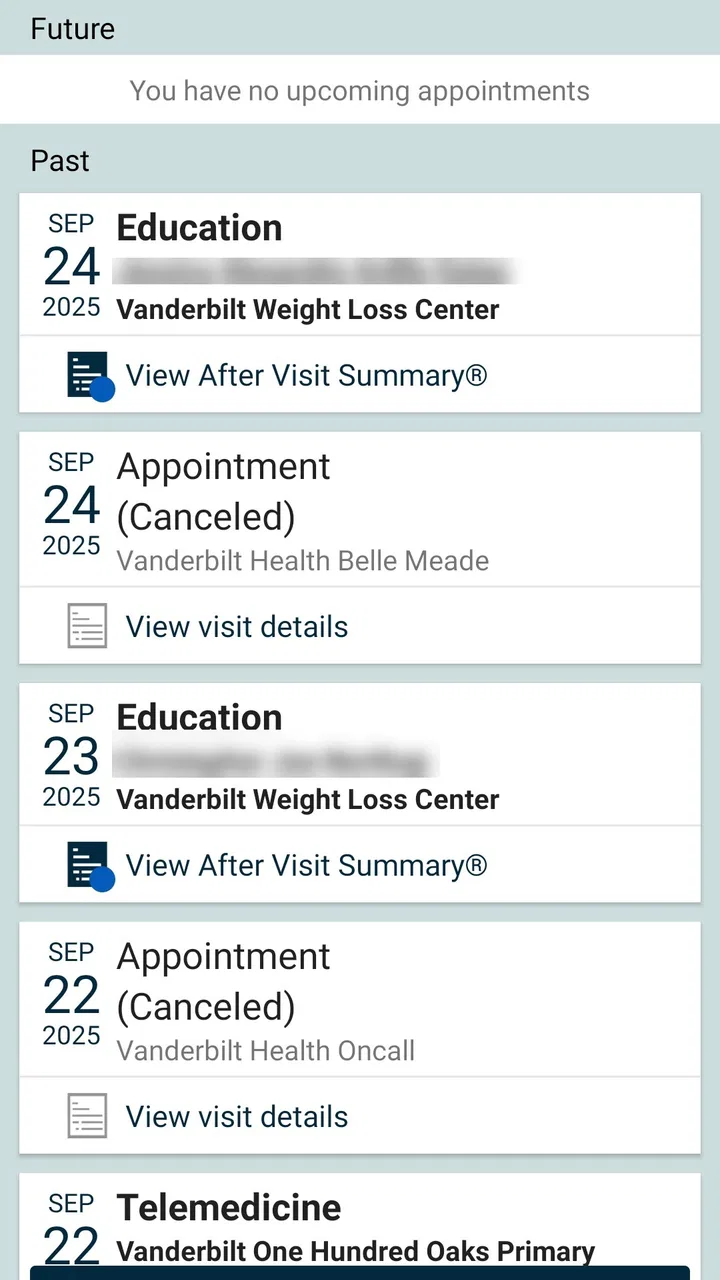
This matters in everyday situations. Imagine leaving a clinic and wanting to check what was recorded during the visit while sitting in the car. The app is more convenient than waiting until you reach a computer, but the usefulness of that moment still depends on your phone being able to reach the service. The same applies when you are in a building with weak reception, traveling through a poor coverage area, or relying on a crowded public network.
I like the fact that the app’s purpose is focused. It is not trying to be a general wellness tracker or a broad medical encyclopedia. Its identity is tied to your Vanderbilt health record, which gives it a clearer job than many health apps that collect unrelated measurements. That focus also creates an important boundary: people who do not receive care through Vanderbilt may find little reason to keep it installed.
In the medical category, the usual alternative is often a browser-based patient portal. A browser can be perfectly adequate on a laptop, especially when you are already sitting at home with a reliable connection. On a phone, however, a dedicated app can feel more natural for short checks. I would choose the app for quick mobile access and use a larger screen when I need to read carefully, compare several pieces of information, or manage a longer task.
What changes when you use it away from home
Mobile access is most valuable when your attention is divided. You might be preparing for an appointment, waiting for a family member, or trying to confirm a detail before calling a healthcare office. In those moments, opening a dedicated app is generally less awkward than navigating a portal through a small browser window.
There is also a useful psychological benefit to keeping health information in one recognizable place. Instead of searching through email, text messages, screenshots, and notes, I can start with the healthcare app and see whether the detail I need belongs there. That does not eliminate every step, but it helps establish a sensible first stop.
Still, a phone is not always the best setting for medical information. A small display can make dense records tiring to read, and a public place is not ideal for reviewing private details. I would avoid opening the app where someone can easily see the screen, particularly on public transport or in a waiting room. The convenience of mobile access should not encourage careless handling of sensitive information.
For an older family member or someone who is less comfortable with apps, the experience may also depend on how much help they have available. A dedicated app can be easier than a browser once it is set up, but the first sign-in and account navigation may still feel like work. I would not recommend choosing it solely because it is on a phone; the better choice is the one the patient can use confidently.
Small workflows that make mobile access more useful
One practical habit is to open the app before you actually need it. I would sign in at home, while the connection is dependable, and become familiar with where the relevant record information appears. That does not guarantee that every later session will be effortless, but it avoids learning the interface while standing outside a clinic or trying to answer a time-sensitive question.
A second useful habit is to separate “checking information” from “making a medical decision.” The app can help me look at my record, but reading an entry is not the same as interpreting it. If something appears confusing, incomplete, or alarming, I would use the appropriate Vanderbilt healthcare channel rather than treating the app as an independent source of diagnosis.
A third trade-off involves screen privacy. A phone is portable, but portability increases the chance of opening personal information in front of other people. I would lower the screen brightness when appropriate, avoid leaving the app visible while handing over the phone, and close it when finished. These are simple behaviors, yet they matter more for a health-record app than for an ordinary shopping or entertainment application.
Another scenario is preparing for a visit. Instead of trying to remember every question in the examination room, I would review the information already available and make a short note of what still needs clarification. The app is most useful here as a preparation tool: it helps me arrive with a clearer understanding of my own record, while the clinician remains responsible for medical explanation and care.
When the connection fails or the session becomes inconvenient
Every connected health service has a frustrating side. If the network is unreliable, the app may not be able to provide the information at the moment I want it. That can be especially irritating when I am already stressed or when I assumed that having an app meant instant access everywhere.
My preferred recovery approach is simple: stop repeatedly tapping, check whether the phone has a usable connection, and try again from a more dependable location. If the problem continues, I would switch to another appropriate Vanderbilt contact method rather than repeatedly refreshing the same screen. Repeated attempts rarely make a weak connection stronger, and they can make it harder to tell whether the issue is the network, the session, or the service itself.
I would also avoid treating a failed mobile session as proof that the record is unavailable. A temporary connection problem and a missing medical entry are different things. If I need a detail for an appointment, I would allow enough time to recover access or confirm it through the healthcare team instead of waiting until the last minute.
This is where a desktop browser can sometimes be the better alternative. A larger device connected to a stable home network offers a calmer environment for troubleshooting and reading. The app wins for convenience, but convenience is not the same as reliability in every setting. For important preparation, I prefer having a backup plan that does not depend on a rushed phone session.
People often ask whether a patient app can replace calling the clinic. In my view, it should not be treated that way. My Health at Vanderbilt is a way to access your health record, not a substitute for urgent assistance or professional judgment. If a situation feels urgent, I would use the appropriate emergency or clinical contact route rather than waiting for an app to load.
Privacy-conscious habits for a connected medical app
Because this is a medical application, I would be more deliberate with it than with an ordinary app. I would use it on a personal device when possible, keep the phone protected, and avoid sharing an unlocked screen. I would also think carefully before taking screenshots of health information, since images can remain in a photo library or cloud backup long after the original task is finished.
Connectivity adds another layer of awareness. Public Wi-Fi can be convenient, but I would prefer a trusted connection for accessing personal health information. If I must use a shared network, I would keep the session brief and make sure I leave the app when done. The goal is not to become anxious about every connection; it is to match the level of care to the sensitivity of the information.
Another point is account access. A patient may share a phone with a partner or use a family member’s device for help. That arrangement can be practical, but it deserves clear boundaries. I would make sure the right person is signing in and avoid leaving credentials exposed. The app’s value comes from convenient access, but convenience should not turn into casual account sharing.
These habits also help when traveling. A phone may be the easiest device to carry, yet travel can bring unfamiliar networks, limited reception, and less privacy. I would prepare before leaving, avoid assuming that every location will support a smooth session, and keep the app as one tool among several rather than my only source of essential information.
Who will get the most from it
My Health at Vanderbilt makes the most sense for patients whose healthcare is connected to Vanderbilt University Medical Center and who regularly want mobile access to their record. It is especially suitable for someone who dislikes relying on a desktop portal, checks information between appointments, or wants a familiar starting point when preparing for a conversation with a clinician.
It may also help a caregiver who supports a family member, provided the account access is handled properly and the patient’s privacy is respected. In that situation, the benefit is not simply having another app; it is having a more portable way to organize questions and review relevant information before contacting the care team.
I would skip it if I do not use Vanderbilt healthcare services, if I rarely need digital access to medical information, or if I strongly prefer handling records on a computer. I would also avoid depending on it as the sole method for urgent communication. A medical record app is valuable when it fits an existing care relationship, not merely because it is free to install.
What its current standing suggests
The app has been available since May 18, 2016, and its current version is 11.7.2. That history gives it the feel of an established patient-access tool rather than a brand-new experiment. Its average rating is 4.7 from around 2.5 thousand ratings, while the app has passed 100 thousand installs and collected around 1.2 thousand written reviews. Those figures suggest that many users find it worthwhile, although a rating cannot tell me whether it will fit every patient’s device, connection, or healthcare situation.
It is free and rated for Everyone, which removes two common barriers to trying it. The minimum operating-system requirement is version 11, so anyone using an older system should check compatibility before planning around it. That is a small but important practical detail: an app can be a good match in principle and still be unavailable on a particular phone.
Compared with a general health tracker, this app is more focused on the relationship between a patient and a healthcare provider. Compared with a browser portal, it is more comfortable for quick phone-based checks but less suited to long reading sessions. Compared with calling an office, it can reduce the need for a simple information lookup, but it cannot replace a conversation when context, explanation, or immediate guidance is needed.
My connectivity verdict
After looking at the app through the lens of real mobile use, I see My Health at Vanderbilt as a practical companion for Vanderbilt patients rather than an all-purpose medical solution. Its strength is direct, portable access to a personal health record. Its main friction is that this access still depends on a working connection, a compatible device, and the user’s willingness to protect private information in mobile settings.
I would recommend installing it if Vanderbilt is part of your care and you want a convenient way to begin checking your health information from a phone. I would set it up before an appointment, use a trusted connection when possible, and keep a larger-screen or direct-contact alternative in mind for situations that require careful reading or immediate help.
The best reason to use this app is not that it puts healthcare on a phone; it is that it can make the first step toward understanding your own Vanderbilt record less dependent on where you happen to be. For the right patient, that is a meaningful improvement. For everyone else, especially those outside the Vanderbilt system or those needing urgent medical support, a different channel will be the better choice.
FAQs for My Health at Vanderbilt
01What services can I access through My Health at Vanderbilt?
My Health at Vanderbilt provides a comprehensive range of services, including access to medical records, appointment scheduling, and direct communication with healthcare providers. Users can also request prescription refills and view test results. The app offers a convenient way to manage your healthcare needs from your smartphone or tablet.
02Is My Health at Vanderbilt available for both Android and iOS devices?
Yes, My Health at Vanderbilt is available for both Android and iOS platforms. You can download the app from the Google Play Store for Android devices or the Apple App Store for iOS devices. Ensure your device meets the minimum operating system requirements for optimal functionality.
03How secure is my personal information on My Health at Vanderbilt?
The app employs robust security measures to protect your personal and medical information. It uses encryption and secure login protocols to ensure data privacy and security. Users are encouraged to create strong passwords and enable additional security features, such as two-factor authentication, for enhanced protection.
04Can I use My Health at Vanderbilt to communicate with my healthcare provider?
Yes, the app allows you to communicate directly with your healthcare providers through a secure messaging feature. This enables you to ask questions, seek medical advice, and receive timely responses from your care team, making it easier to manage your health outside of traditional appointments.
05Are there any fees associated with using My Health at Vanderbilt?
My Health at Vanderbilt is a free app for patients. However, any healthcare services accessed through the app, such as consultations or prescription refills, may incur standard fees as per your healthcare provider’s policies. It's advisable to check with your provider for specific cost details related to services.
Pros
- User-friendly interface with intuitive navigation.
- Secure access to personal medical records.
- Efficient appointment scheduling feature.
- Direct communication with healthcare providers.
- Access to test results and reports instantly.
Cons
- Limited functionality without internet access.
- Occasional app performance lags reported.
- Some features require additional setup.
- Not all test results are available immediately.
- Limited customization of notification settings.

My Health at Vanderbilt
Gallery